Four minutes, on your own wifi
Setting up your Italy eSIM
Install it at home, land connected, and never scan a QR code in an airport queue. Here are the steps for both platforms and the fix for everything that usually goes wrong.
Before you buy anything
three checks that take a minute
- Check the phone takes an eSIM. Dial *#06#. If the list shows an EID as well as an IMEI, you are fine. Every iPhone from XS onward, every Pixel from 3 onward and most flagship Samsungs from S20 onward qualify. Phones bought in mainland China frequently do not.
- Check the phone is unlocked. A carrier-locked handset will accept the profile and then refuse to use it, which is the single most common "the eSIM does not work" report. Ask your carrier before you buy, not after.
- Decide Italy-only or regional. If your trip crosses into Switzerland, France, Austria or Slovenia, an Italy-only plan will not follow you. Read the border page first. If Italy is the whole trip, buy the country plan and save the money.
Installing the profile
both platforms, before you fly
| Step | iPhone (iOS 17+) | Android (Pixel and Samsung) |
|---|---|---|
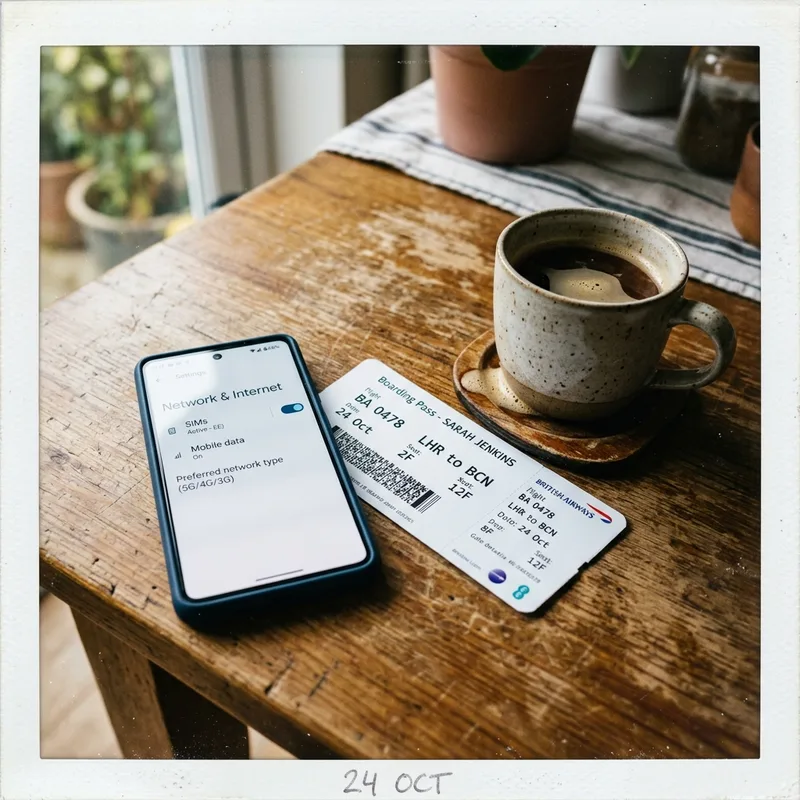
| Open the right screen | Settings → Mobile Service → Add eSIM | Settings → Network & internet → SIMs → + |
| Add the plan | Use QR Code, or the provider’s app if it offers one-tap install | Download a SIM instead? → scan the QR code |
| Label it | Name the line "Italy" so you can tell it apart at a glance | Same. Samsung calls this the SIM name |
| Leave it off | Turn the line off until you land. It costs nothing to have installed | Same. Toggle the SIM off in the SIMs screen |
| Set the default line | Mobile Data → Italy, once you land. Default Voice Line stays your home number | Mobile data → Italy. Calls & SMS stay on your home SIM |
| Kill the roaming charge | Home line → Mobile Data Options → Data Roaming OFF | Home SIM → Roaming OFF |
Do all of this on your home wifi the night before. An eSIM profile can normally only be installed once, so scanning the QR code in an airport with bad wifi and a half-loaded page is the one way to genuinely lose a plan you paid for.
When you land in Italy
two toggles
- Turn the Italy line on and set it as the mobile data line. Give it thirty to sixty seconds to attach; on a first activation it sometimes takes two or three minutes.
- Confirm data roaming is enabled on the eSIM line. This sounds backwards and it is correct: a travel eSIM is technically roaming on an Italian network, so the eSIM line needs roaming ON while your home line needs roaming OFF.
- Check your home line is not quietly using data. The charge people come home angry about is almost always the home line, not the eSIM. Roaming off on that line, every time.
- Test something small. Load a map, not a video. If it works, you are done and you can stop thinking about any of this for the rest of the trip.
Symptom to fix
everything that usually goes wrong
| Symptom | Most likely cause | Fix |
|---|---|---|
| QR code will not scan | Screen glare, or the code was already used | Enter the details manually; every provider offers a manual SM-DP+ address and activation code |
| Profile installs, no service | Line switched off, or the phone is carrier-locked | Turn the line on. If it still fails, the handset is locked and no eSIM will work on it |
| Service, but no data | Data roaming off on the eSIM line | Turn roaming ON for the eSIM line specifically. This is the most common failure by a distance |
| Everything works, then stops after a few days | Plan exhausted, or the daily cap hit | Check usage in the provider app. On unlimited plans this is the fair-use throttle, not a fault |
| Very slow but connected | Daily cap reached on an unlimited plan | Airalo and Saily both slow to about 1 Mbps. The caps are here |
| No signal in a mountain valley | Coverage, not the eSIM | Manual network selection, try TIM first. Why TIM |
| Phone grabbed a Swiss network near Como | Border tower is stronger than the Italian one | Manual selection, pick an Italian network. Swiss networks are not covered by an Italy plan |
| Huge bill from your home carrier | Home line roamed while you used the eSIM | Nothing to do afterwards. Prevention is roaming off on the home line before you fly |
| Works on the phone, not on the laptop | Hotspot restriction on the plan | Holafly caps sharing at 1GB a day. Saily allows hotspot with no limit stated |
If the fix column has not solved it, the provider's support chat is the next step, and this is where the review scores earn their keep: Saily is 4.7 from 32,870 reviews (checked 2026) and answers, which is most of what you are paying it for.
Choosing an Italian network by hand
the trick that fixes mountain valleys
Phones are lazy. Left on automatic, a handset clings to the first network it attached to, even after that network has faded to one bar and a stronger one is available. In an Italian valley that is the difference between a working map and a grey square.
On iPhone: Settings → Mobile Service → your Italy line → Network Selection → turn Automatic off → wait for the list → pick a network.
On Android: Settings → Network & internet → SIMs → your Italy line → Automatically select network → off → choose from the list.
Which to pick, in order: TIM first in mountains, on trails and on rural roads, because it wins Opensignal's Consistent Quality at 79.2% and reaches terrain the others reach later. Vodafone next, which won Download, Upload and Reliability. WindTre in cities, where it has the best 5G in Italy.
Two caveats. You can only select a network your plan actually includes, and four of the five brands here will not tell you which those are; if the list is short, that is why. And near the Swiss border your phone will offer you Swisscom, Sunrise and Salt, which no Italy plan covers. That page is here.
The night-before checklist
six lines
- eSIM profile installed on home wifi and labelled "Italy", line left switched off.
- Data roaming off on your home line. This is the expensive one.
- Offline maps downloaded for every city on the itinerary, plus any mountain roads.
- Photo backup set to wifi only. Worth 5 to 10GB on a two-week trip. The numbers.
- Train tickets and museum QR codes screenshotted, not just bookmarked.
- Provider app installed and logged in, so you can top up without hunting for an email.
Setup questions
answered straight
How do I install an eSIM for Italy on an iPhone?
Settings → Mobile Service → Add eSIM, then scan the QR code your provider emailed you. Do this on home wifi before you fly, label the line "Italy", and leave it switched off until you land. On landing, set it as the mobile data line with roaming on, and turn roaming off on your home line.
Should I install my Italy eSIM before or after I fly?
Before, on your own wifi, without exception. The plan does not start counting until it first connects in Italy, so there is nothing to gain by waiting. A profile can usually only be installed once, and an airport wifi failure halfway through is how people lose a plan they paid for.
Why does my Italy eSIM have service but no data?
Data roaming is switched off on the eSIM line. It sounds wrong and it is correct: a travel eSIM is roaming on an Italian network, so that line needs roaming on. Your home line is the one that needs roaming off.
Will I still get my normal calls and texts in Italy?
Yes, if you leave your home line active with data roaming off. Calls and SMS to your usual number arrive as normal, including bank verification codes, and you pay nothing for data because the eSIM is carrying it.
My eSIM will not connect in the Dolomites. Is it broken?
Almost certainly not. Set network selection to manual and try TIM first, then Vodafone. Above the treeline coverage becomes a single-network question, and if your plan does not include the network that reaches there, no setting will fix it. Why TIM matters.
Can I use one eSIM for Italy and another for Switzerland?
Yes. Modern iPhones and Android phones hold several eSIM profiles and you switch between them in Settings. Only one needs to be active at a time. That is the cheapest way to handle a Lugano day trip without buying a regional plan.
Test it for free before you commit
GigSky gives new customers a free 100MB plan with no card, which is enough to prove your handset provisions the profile and your settings are right. If it does, buy the size you need from the same app.
See GigSky Italy plansSources & freshness: Menu paths verified against iOS 17 and 18 and against Pixel and Samsung One UI as of 2026; manufacturers move these between versions, so treat them as the shape rather than the letter. Network performance from Opensignal's Italy Mobile Network Experience report, December 2025. Compare all six providers: best eSIM for Italy.